






How Can You Design and Build Your Own Blog Template?
All, I can say is WHEW!! I have spent a tough two weeks going through a break up. So, I gladly welcomed the new love into my life. I am sure you all want to hear about him. I have spent hours gazing into his face, learning all his quirks, and reading his every movement. I hope you are all happy for me. This is going to be a long term relationship…I can just sense it. They say you just know that you know when he’s the one.
Gotcha! (maybe 😀 ) The breakup of course was with my old apple-y blog. I am so glad to be rid of the old theme! When I first started blogging, I had no idea there were so many teachers that were out there blogging until I saw the “blogs” tab on TPT. When I started seeing all the other teachers’ blogs, I desired a little more personality, and I’ll just say it–cuteness–in my own blog. And so, I made that one of my summer goals. And of course, my new love affair is with my new blog because I literally poured over making the template, uploading it, and working out the glitches. The last day I worked on it, my eyes were so red and my wrist was hurting from working on the computer so many consecutive hours and days. You may think that sounds like no fun, but I found working on this project addictive!

Before
To help save you some time if you are considering building a blog, I will tell you how I did it.
1. First of all I looked at some cute templates out there for sale, but I REALLY wanted to make my own because I had a design in mind. Plus I wanted to learn how to do this for myself. At first, I thought that I would have to know computer code, but after a little digging and you tube video watching, I found out that I could use Artisteer to build blog templates. Artisteer is a program that you can download for about $50. So, I used some of my TPT money and invested in this software. They have a trial version for free that puts watermarks on your pages, but I just went ahead and bought it without trying it out because I had watched the you tube videos. (sidenote I have a word press blog, but Artisteer works for blogger too!) Click below to go to the Artisteer site.


3. Then I used Photoshop which I already had on my computer to put the cute clip art together to make my blog header. I believe you can probably get Photoshop for less on Amazon.com because I checked prices on the updated version. Every now and then though Adobe has sales on their software, so it would be worth signing up on their email list to know about sales. There may be some comparable software to Photoshop that you could put your clip art together in, but I don’t know about it. Please comment if you know of something that works better. I will warn you that Photoshop is a learning curve if you haven’t used photo editing software like it before, and you may be better off paying someone to design a header for you, or paying for a template.
4. Lesson Learned: Choose from the fonts that are web fonts on Artisteer. Don’t spend hours trying out all the cutesy fonts you have installed from elsewhere because all of the browsers (explorer, mozzilla, safari) won’t read them the same or at all for that matter. If you want cutesy fonts in your header, then you will have to install them in a picture in Photoshop. I used KevinandAmanda.com’s free fonts in my header. The only way you can have cute fonts in your posts(in word press) is if you use a widget for google web fonts, but even those aren’t always read in their cutesy-ness by devices such as an ipad. I can’t speak for blogs with a blogger platform.
*****(July 27, 2013–Since the time I originally wrote this post, I found a plug in that works wonders. It is “Use Any Font”. That plugin gave me the ability to put the cute font on my headers, titles, and hyperlinks. This plugin will change the font in your posts as well, but I opted not to do this because the font was a bit wearisome to to the eyes. The plugin was a God send. I installed it and was able to see the results within a matter of minutes. It was so easy to use!)
5. Thanks to Wayne Gretzky for helping me to make a button for my blog on his great button maker site. Also, for a really great tutorial with step by step and picture instructions on how to make a blog button, go here to my pregnancybaby.com.
I hope the above helps you if you plan on creating a blog. I still have a few glitches to work out in my own blog, but it is almost where I want it 🙂 yay me! I feel like I just won a marathon.
Pardon the Mess
I will be working on uploading a new template for my blog today, so pardon the mess as I tweak everything.
A “Lofty” Deal
Summer Fun Day #3! So I was minding my own business yesterday just meandering through some stores…I was actually looking at some office furniture to tell the truth because I was checking dimensions for my home office…when all of a sudden I stumbled into Ann Taylor Loft. I was absolutely not planning on buying ANYTHING especially because they are so pricey. Well, I discovered they were having a half off of their clearance sale…you’ve got to love a discount on clearance merchandise! So I looked a little longer than I had planned. I found an adorable all cotton sweater (it is hard to find all cotton sweaters anymore–my favorite!!!) At first I looked at the price tag and thought I saw $44–not much of a clearance. Then I looked again. Are you ready for this? The tag said $4.88. I thought that it had to be a mistake until I discovered another one just like it priced for $4.88. Below you will see my oh, so, cute new sweater which I got for$5.29 with tax :). Yay, me! I figure I can wear this in spring or fall this coming school year. I am telling you about this fabulous find so that you can go shopping, too, and find some deals. Ann Taylor Loft is friendly to teachers offering us all a 15% discount and some other perks. To sign up for their perks, click here.


A Branching Unit–with a Makeover!
I’m so thankful for a summer vacation and the beautiful weather we have been having. Usually it is so hot and humid this time of year, but the weather has been so mild and beautiful compared to recent years. Yesterday was really my first day out that actually felt like a vacation. I have been going to trainings and working on our district’s pacing guide. With all of that said, I spent yesterday doing the finishing touches on a branching unit I had posted previously on TPT. One of my summer goals is to improve some of the items, which I feel need a makeover that are posted in my store. I am so much more proud of this unit now. I included some of the fun branching templates that a co-teacher and I devised to make branching and our hallway more fun which weren’t there before! I hope that those of you who have already downloaded this item enjoy using these materials even more now. Last summer was the first summer I got REALLY serious about selling on TPT, and in this year I have learned so much–from fellow bloggers, from TPT, and from my customers.
I am also considering doing a whole new makeover for my blog…hopefully to be coming soon :)!
Below I have posted pictures of my new and improved branching unit which I used when teaching my third grade class several years ago. The new part is the templates that we used to decorate our hallway with ‘branching trees’, more detailed teacher notes, student word problems, and I included some scaffolded practice for struggling students to group their tens and ones. I have posted a sample of some of the student sheets that you can try out for free. When you click below, the link will take you to my store where you can download the free preview.


Use Your “Time” Wisely doing this…
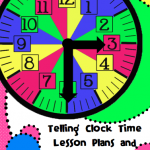
Never take your blank classroom wall space for granted. Below I have pictured what I placed around my classroom clock. Then I added some extra items instead of just the numbers around the clock with the quarters of an hour as I saw students having misconceptions about several concepts. I noticed students struggling with all of the different words that meant before (to, til, until), so I posted an anchor chart showing this around the clock. I also posted an anchor chart showing how each fifteen minute increment adds up as quarters of an hour. This is a picture from a classroom I had several years ago, and it isn’t the most beautiful, perfect clock display. If you use this idea or have done something similar, post a link in the comments to show how you displayed yours in a more aesthetically pleasing way since mine is lacking in this department :).

Try This Reward If You Have No Funds…
Last week we held a final championship for students in second through fifth grades for the classes’ highest percentage of correct answers during “Math Wars”. “Math Wars” is our affectionate name for math fact races. Surprisingly the underdogs (second graders) won the final championship while a fifth grade class had been winning all year. So, of course as second graders are, they were so EXCITED that they had won– as was their teacher. Since I didn’t have any funding for anything extra special, I, we’ll say ‘renovated’ an old trophy, which I found gathering dust. I cleaned it up a bit and made a new plaque for it as you can see below. I also handed out a golden abacus to each grade level winner. The golden abacuses were awarded and switched among classes all year after each “Math War”. Pictured below are all of the awards. I hope they give you some ideas.

Math Wars trophy for first place and golden abacuses for grade level winners.
For the math timed tests I used for math wars, click here.
For an example of how a teacher kept up with her own math races to prepare for math wars, click here.
For more about the math fact races, click here.
I Just Saw the Most Brilliant Use of a Flip Cam!
When I stepped into a classroom yesterday I was so intrigued that I couldn’t leave. Before I spill the beans on what I saw, I must say this. There has been a lot of emphasis at my school about having students share their work for a lesson closing. This idea could also spill over into the common core mathematical practices in which students must “construct viable arguments and construct the reasoning of others”. Now I understand that when students share their work in front of the class that this does promote other students’ higher levels of thinking as other students decide whether they agree or disagree. On the other hand at this late point in the school year the downfall of student sharing is that even with a doc camera and students’ micro phoned voices other students attention spans are likened to a fly hovering over a summer picnic buffet.
Now, onto what I saw. Ms. T was showing students a flip cam video of herself talking to a student named ‘Briana’, who was solving a double digit addition problem with base ten blocks which she had taped during the students’ work time. She showed the video to students after their work time and paused it after the questions she asked Briana in the video. Then Ms. T would ask the class what the answer was to the question in the video. The class would respond. Then Ms. T would un-pause the video to allow the class to see if Briana answered, counted, or exchanged blocks correctly. I absolutely loved this–so much more engaging than regular sharing!
Thanks to the literacy people who ordered these flip cams with literacy money! 🙂 They were originally bought for students to do book talks. Using them for math sharing–so much better in my unbiased opinion ;).
Are You Teaching Branching? Make Sure You Do This First…
Several years ago I worked at a charter school the first year it opened. The school implemented Singapore math, so that was my first year to test the waters of Singapore math. Our trainer instructed the 3rd grade teachers to go ahead and teach branching even though it was a skill the students should have learned in second grade. To teach children the procedure of branching, it took about four weeks total, and then not all of the students perfected the ‘procedure’ of addition and subtraction branching. The students had more success learning addition than subtraction branching. With the mandates of testing, we weren’t able to solely use Singapore math, but I had to supplement with other materials. Then as you are all familiar with, testing approached and likewise the pressure along with it. Then we didn’t have ‘time’ to teach number sense SO deeply since other skills are tested. Unsurprisingly, the teaching of Singapore Math somewhat fell apart midyear. Please don’t take this wrong I LOVE Singapore math because it works, but the conditions of testing hindered us from teaching it wholly.
Fast forward to four years later. After teaching small groups today, I have reflected on the year that I taught branching and its effectiveness. Yesterday I pulled small groups of average math students to teach them regrouping for the second day in a row, I had them build double digit numbers with base ten blocks blocks. I repeated this process today with the same group of students. After that I started notating their thinking with branching representation on a small white board. Students intently watched and helped me notate the thinking they had done with the blocks in (abstract) numbers . They began to understand grouping with tens and how to decompose numbers to build more tens or hundreds. Then I told them that they couldn’t use paper or blocks, but could only look at the addends I was about to write on the board. I asked them to whisper the answer in my ear so that others could still think. I was amazed! Half of them could answer the question correctly doing mental math. The other half were only 1 away from the correct answer. I was so proud.
I shared the above to really say the kids taught me something in just two days because of their adept ability to add mentally. Teaching branching worked so much better four years later–all I had to do was provide an experience with branching directly after building with base ten blocks. Why didn’t I start out with the concrete blocks first before I threw abstract numbers at them…duh me! Branching made so much more sense to them after building a concrete foundation. Reflection is priceless!
Have We Damaged Our Children’s Ability to Reason by Teaching Procedures?
I have been working with many small groups of average leveled students to help build their number sense since there will be so many gaps in common core understanding with students moving up to 4th and 5th grades. Up until earlier this year I confidently thought that students in second grade needed to learn the traditional regrouping algorithms for addition and subtraction. After some common core training, I humbly realized that students aren’t necessarily expected to know how to complete this traditional procedure, but rather be able to make sense of a problem by decomposing and composing numbers using strategies that are comfortable for them. I said all of that to say that because of this thinking, I gave students in my small groups base ten blocks and NO paper. I gave a double digit addition problem that would give students the opportunity to regroup 73 + 48 (mind you they should have been able to handle larger numbers). I thought I would start with a really easy problem. Well, I was wrong! The students struggled to get an accurate answer with blocks to solve this problem. Of the four students I had in this particular small group, only one student was able to find the correct answer. Well, I changed my mind on the no paper and gave them a sticky note. I instructed them to write their answer on the sticky note just so I could do a quick assessment of who could accomplish finding the answer with the blocks without blurting it out. To my chagrin two of the students were trying to solve the problem on their sticky note with the procedural algorithm. I promptly reminded them while replacing their sticky notes that we were solving the problem with the blocks and not paper. When all students had finished thinking, I listed all of the students’ answers on the board and asked them who was correct. After having students count and recount their blocks, they finally came to a consensus of the correct answer …121. They struggled with counting past 100 especially by 10’s… 110, 130, 140… and they would correct one another to say 110, 120, 130, 140. Surprisingly enough to me, the students felt more comfortable lining up numbers in an algorithmic procedure with no understanding to obtain an answer than they did counting out blocks past 100 to obtain the correct answer.
Below is a picture of the students counting out their blocks. I had them place their addends onto small sheets of square paper to help keep them organized since they were getting their extra blocks confused with the ones they were counting. I wanted to use small paper plates to help them organize their blocks, but I didn’t have any. I happened to have some origami paper lying around, so I just used that instead.

Base Ten Block Addends Grouped on Origami Paper
Last Day to Get Your Goodies at TPT
Make sure you stop by the Teachers Pay Teachers today to pick up all of the items you’ve been swooning over while the sale lasts. The sale will be on until midnight tonight, May 8th, CST. Many items including all of mine are on sale for 28% off. HURRY!